
AI-powered scanning
Scan strips and bills. Skip the typing.
Medix Vitra uses AI to read medicine strips and supplier bills through your device's camera, so you can add medicines and purchase stock with much less typing.
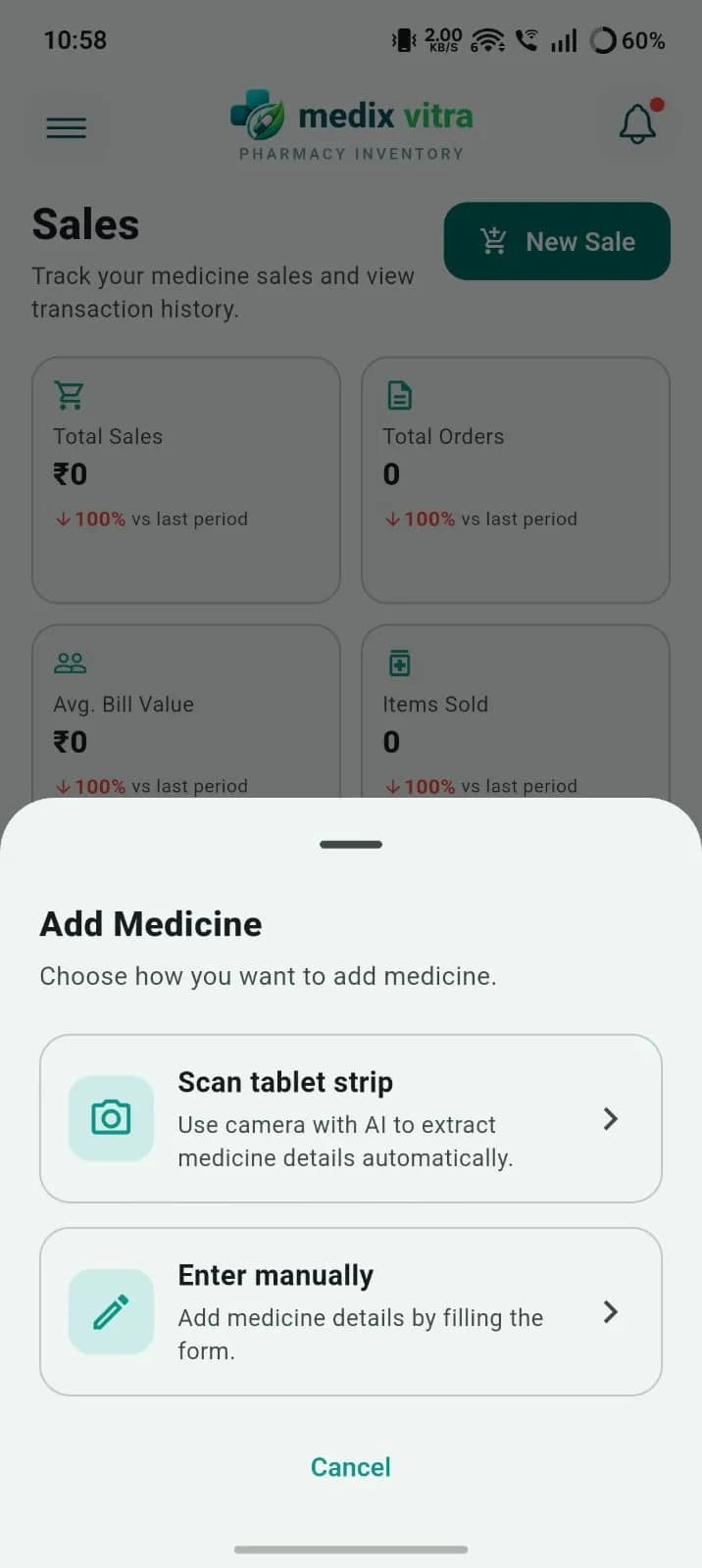
Scan a medicine strip to add it
Point the camera at a tablet strip or medicine pack and AI extracts the medicine details for you.
- Scan a tablet strip or packaging with the camera
- AI extracts medicine details automatically
- Or enter medicine details manually using the form
Scan a supplier bill to add purchase stock
Scan a supplier's purchase bill and AI reads the purchase details, so new stock goes into inventory faster.
A single distributor bill can list dozens of medicines. Entering each line by hand takes time at exactly the moment the counter is busy, and typing mistakes carry straight into stock levels.
- Scan supplier purchase bills with the camera
- AI extracts purchase details to add stock to inventory
- Less manual typing when a large delivery arrives
AI bill scan
- Scan supplier purchase bills with the camera
- AI extracts purchase details to add stock to inventory
- Less manual typing when a large delivery arrives
How it works
From camera to inventory in four steps
- 1
Start adding stock
Choose to add a medicine or record a purchase from a supplier.
- 2
Scan with the camera
Photograph the tablet strip, medicine pack or supplier bill.
- 3
AI reads the details
Medix Vitra's AI extracts the medicine or purchase details for you.
- 4
Check and save
Review the details, correct anything if needed, and save to inventory.
Why it matters
Built for how pharmacies actually receive stock
Data entry is where pharmacy software usually slows people down. AI scanning is designed to remove that friction.
Less typing at the busiest moment
Deliveries arrive while customers are waiting. Scanning cuts the manual entry needed to get new stock into the system.
Faster opening stock
Moving from a register to software means entering hundreds of medicines. Scanning makes that first setup quicker.
Feeds batch and expiry tracking
Scanned medicines go into the same batch-wise inventory that powers near-expiry and low-stock alerts.
Tips for accurate scans
- Scan in good, even light and avoid glare on foil strips.
- Keep the strip or bill flat and fill the frame with it.
- Make sure the batch number and expiry date print is visible.
- Hold steady until the image is sharp.
- Always check batch, expiry and quantity before saving.
Like any automatic text reading, results depend on photo quality and print condition. Scanned details go into your batch-wise inventory, so a quick check keeps your expiry alerts accurate.
AI scanning questions
Does Medix Vitra use AI?
Yes. Medix Vitra uses AI scanning to read medicine strips or packaging and supplier bills with your device's camera, so you can add medicines and purchase stock with less typing.
How AI scanning worksWhat can I scan with Medix Vitra?
You can scan medicine strips or packaging to extract medicine details, and scan supplier bills to add purchased stock to inventory. You can always enter details manually instead.
Should I check the details after scanning?
Yes. Always review scanned details, especially batch numbers, expiry dates and quantities, before saving. Like any automatic text reading, results can be affected by blurry photos, poor lighting or damaged print.
Try AI scanning in your pharmacy
Download Medix Vitra free for Windows or Android and add your next delivery by scanning the bill.
Free to download · Windows 10+ (x64) and Android