
Medix Vitra for Windows
Pharmacy inventory software for Windows PC
Run your medical store's stock, batches, expiry dates and billing from the PC at your counter.
Medical store stock management on your PC
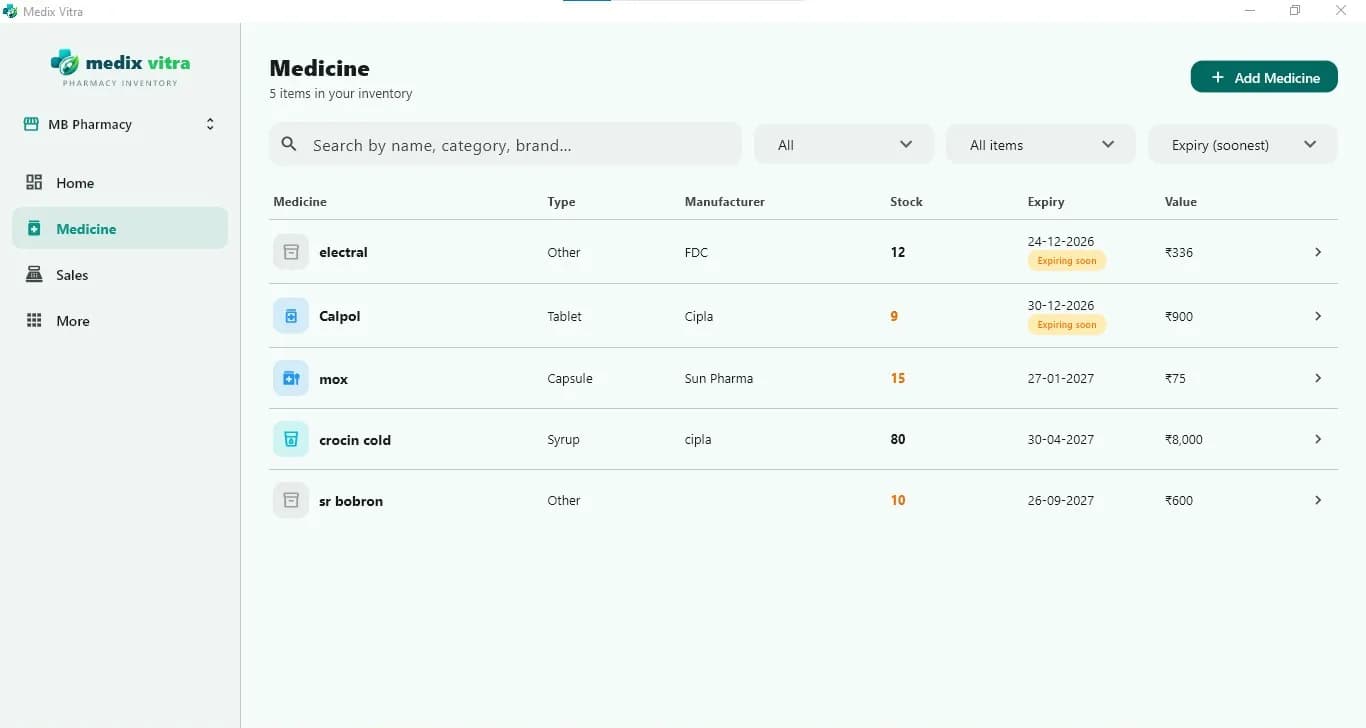
The Windows app gives you a full-width view of your medicine list, with type, manufacturer, stock, expiry date and value side by side. Sort by soonest expiry to see what needs attention first.
- Organise medicines by category, manufacturer and type
- Sell in multiple units such as strip, box or piece
- See total stock value on the dashboard
- Stock is deducted in real time as you bill
- Record batch number, expiry date and pack size for each batch
Pharmacy billing and sales on Windows
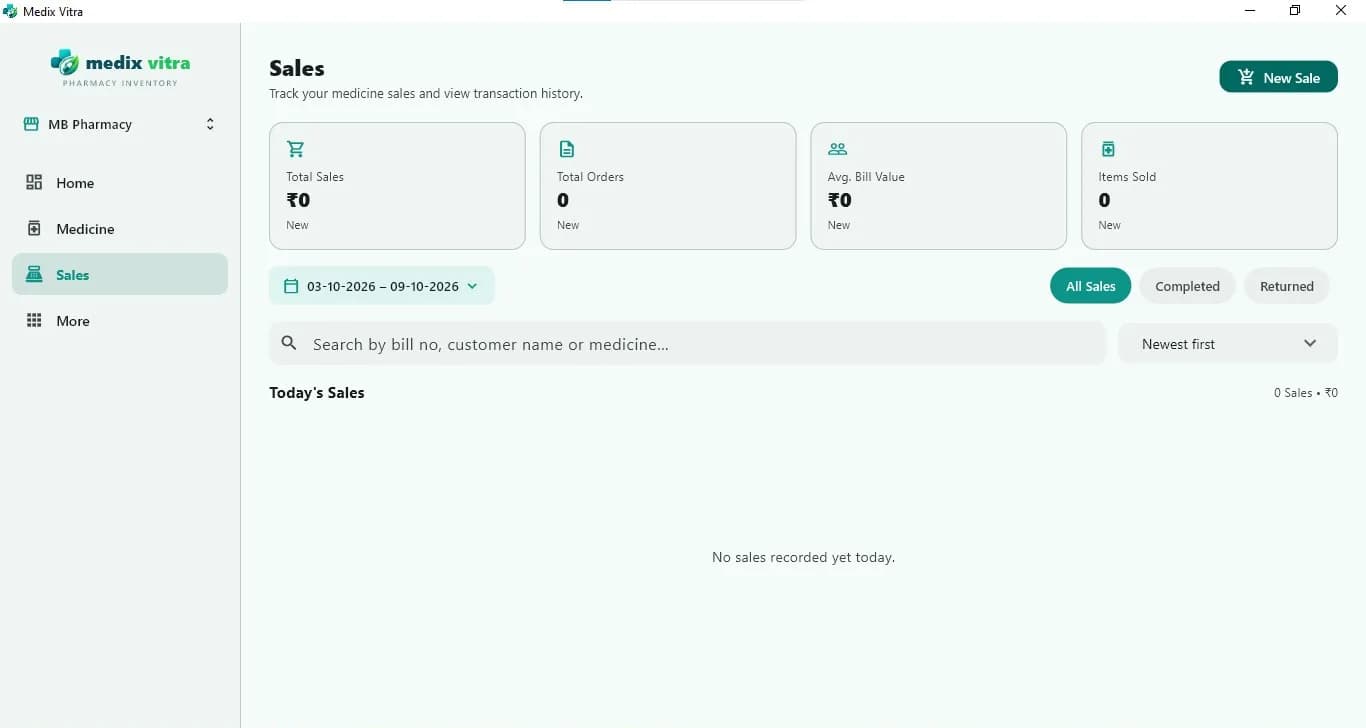
A keyboard and large screen make counter billing quick. Review sales by date and search past bills by bill number, customer or medicine.
- Fast billing with unit-level pricing and real-time stock deduction
- Search to add items, or quick-add frequently sold items
- Invoices with GST details
- Print or share invoices and receipts as PDF, on WhatsApp or by SMS
- Credit sales with payment collection in cash or online
Batch and expiry management at a glance
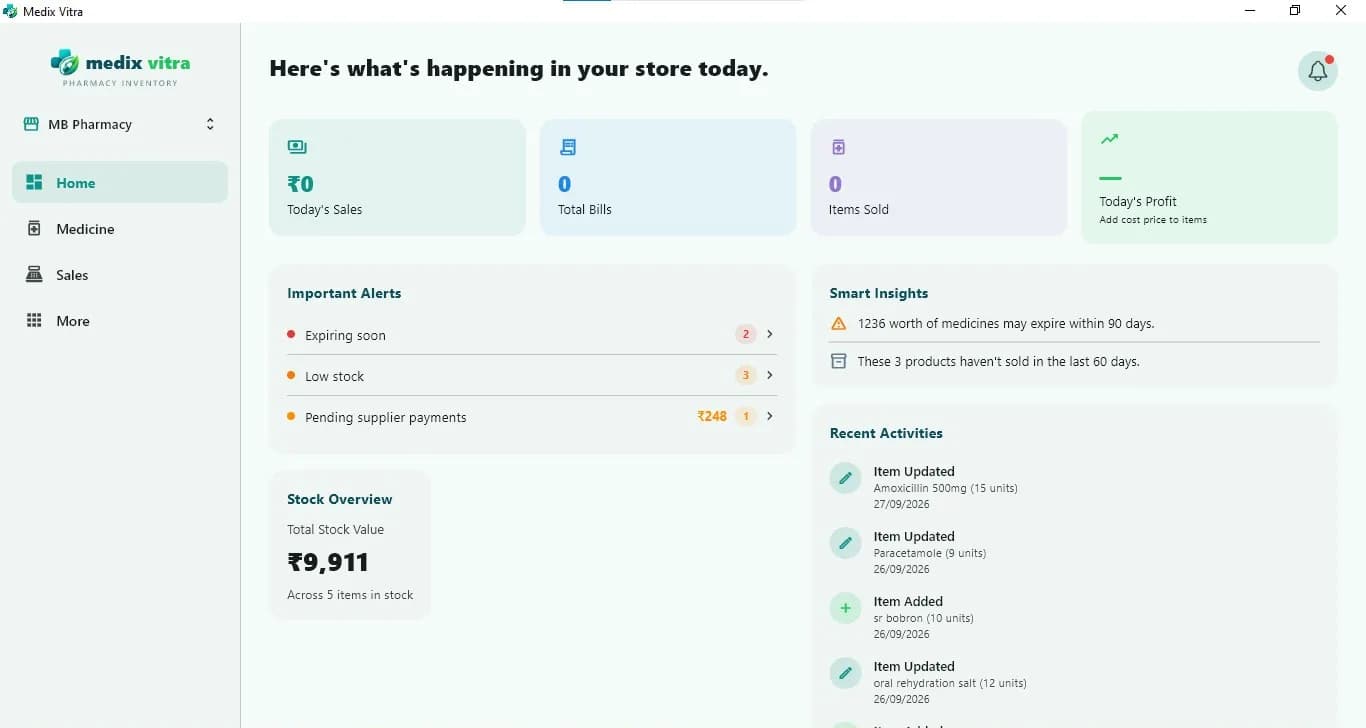
The dashboard brings together expiring-soon and low-stock alerts, pending supplier payments, smart insights such as the value of medicines expiring within 90 days, and your total stock value.
- Near-expiry alerts before stock becomes a problem
- Near-expiry stock value tracking
- Sort the medicine list by soonest expiry
- Record expired, damaged, lost or sample stock with a full audit trail
Everything in Medix Vitra for Windows
Headline features described on the Microsoft Store listing.
- Pharmacy inventory management
Keep every medicine organised by category, manufacturer and type, with live stock levels and stock value.
- Batch-wise inventory tracking
Track each medicine by batch, with its own expiry date and pack size.
- Medicine expiry monitoring
Get near-expiry alerts and see the value of stock that is close to expiring.
- Low-stock alerts
Know which medicines are running low before a customer asks for them.
- AI medicine strip scanning
Point the camera at a tablet strip or medicine pack and AI extracts the medicine details for you.
- AI supplier bill scanning
Scan a supplier's purchase bill and AI reads the purchase details, so new stock goes into inventory faster.
- Sales and billing
A fast billing screen with unit-level pricing, credit sales and shareable invoices.
- Purchase and supplier management
A supplier ledger with GSTIN, payment history and dues, plus purchase orders that update stock.
- Customer records and dues
A customer directory with purchase history and credit, with one-tap follow-up.
- Reports and business insights
Sales trends, category performance, slow-moving stock and near-expiry value at a glance.
- Staff management and roles
Add staff as Owner, Manager or Staff, control permissions, and review an activity log.
- Multi-store management
Manage more than one store location from a single account.
- Multi-language and multi-currency
Use the app in English, Hindi, Marathi or Arabic, with multi-currency support.
- Backup to your Google Drive
Back up inventory, sales and customer data to your own Google Drive.
System requirements
| Device | PC |
|---|---|
| Operating system | Windows 10 version 17763.0 or higher |
| Architecture | x64 |
| Camera | Integrated camera (only needed for medicine scanning) |
| Languages | English, Hindi (हिन्दी), Marathi (मराठी), Arabic (العربية) |
| Price | Free to download |
Source: Microsoft Store listing, checked 16 October 2026. The store confirms compatibility for your PC before installing.
Windows app questions
Is Medix Vitra available for Windows?
Yes. Medix Vitra is available for Windows PCs from the Microsoft Store.
Medix Vitra on the Microsoft Store(opens in a new tab)What are the system requirements for the Windows app?
According to the Microsoft Store listing, Medix Vitra requires Windows 10 version 17763.0 or higher on an x64 PC. A camera is only needed if you want to scan medicine packaging.
Does the Windows app work on Windows 7 or 32-bit PCs?
No. The Microsoft Store listing requires Windows 10 version 17763.0 or higher and an x64 processor, so older Windows versions and 32-bit PCs are not supported.
Is Medix Vitra free?
Yes. Medix Vitra is currently free to download on the Microsoft Store and Google Play, and neither listing shows in-app purchases. Paid plans may be introduced in the future; this page will be updated if that happens.
Also see the Android app, all features and what to look for in Windows pharmacy software.
Get Medix Vitra for your pharmacy PC
Download free from the Microsoft Store. Add the Android app for checking stock on the move.
Free to download · Windows 10+ (x64) and Android